What's New
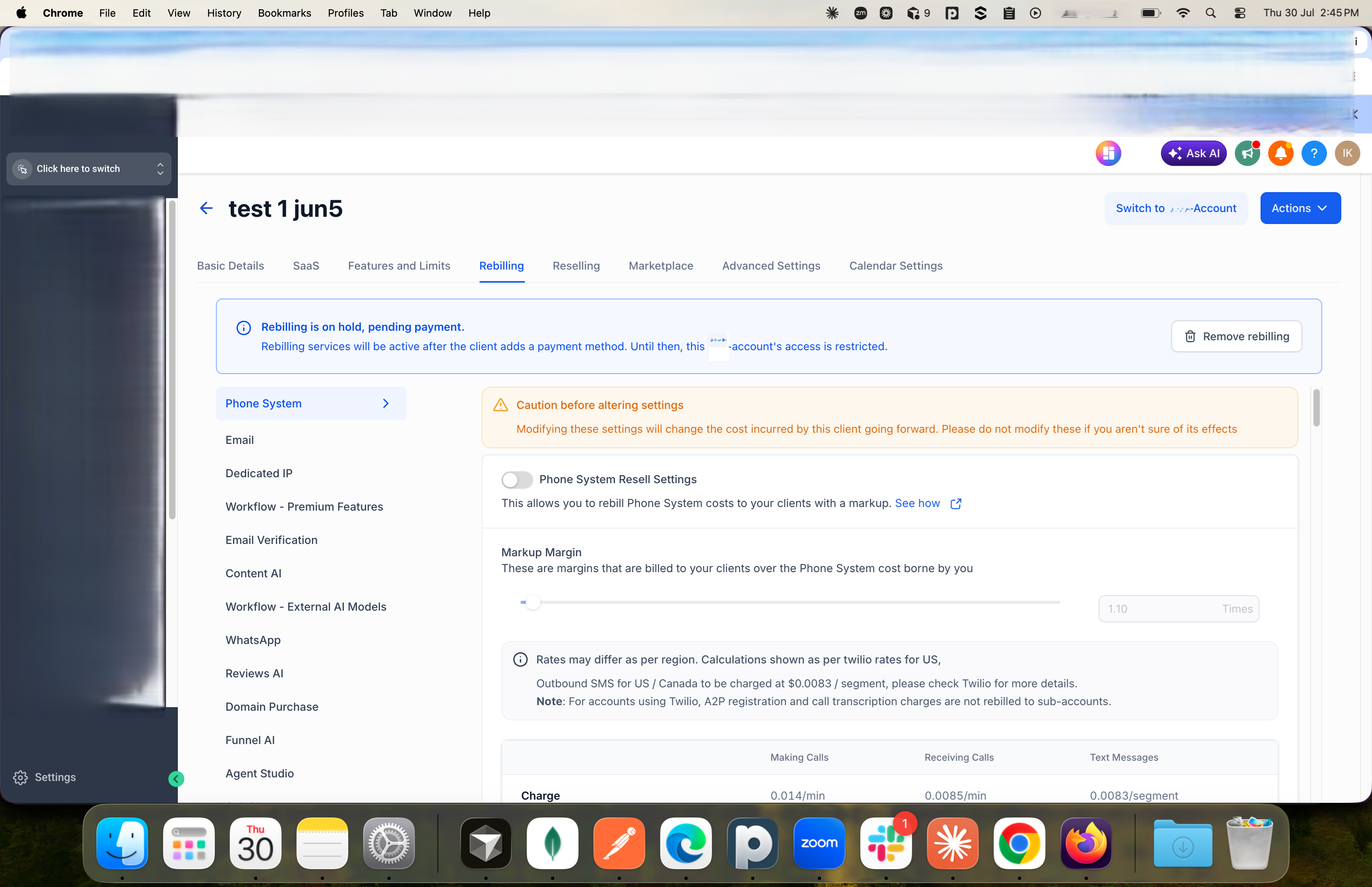
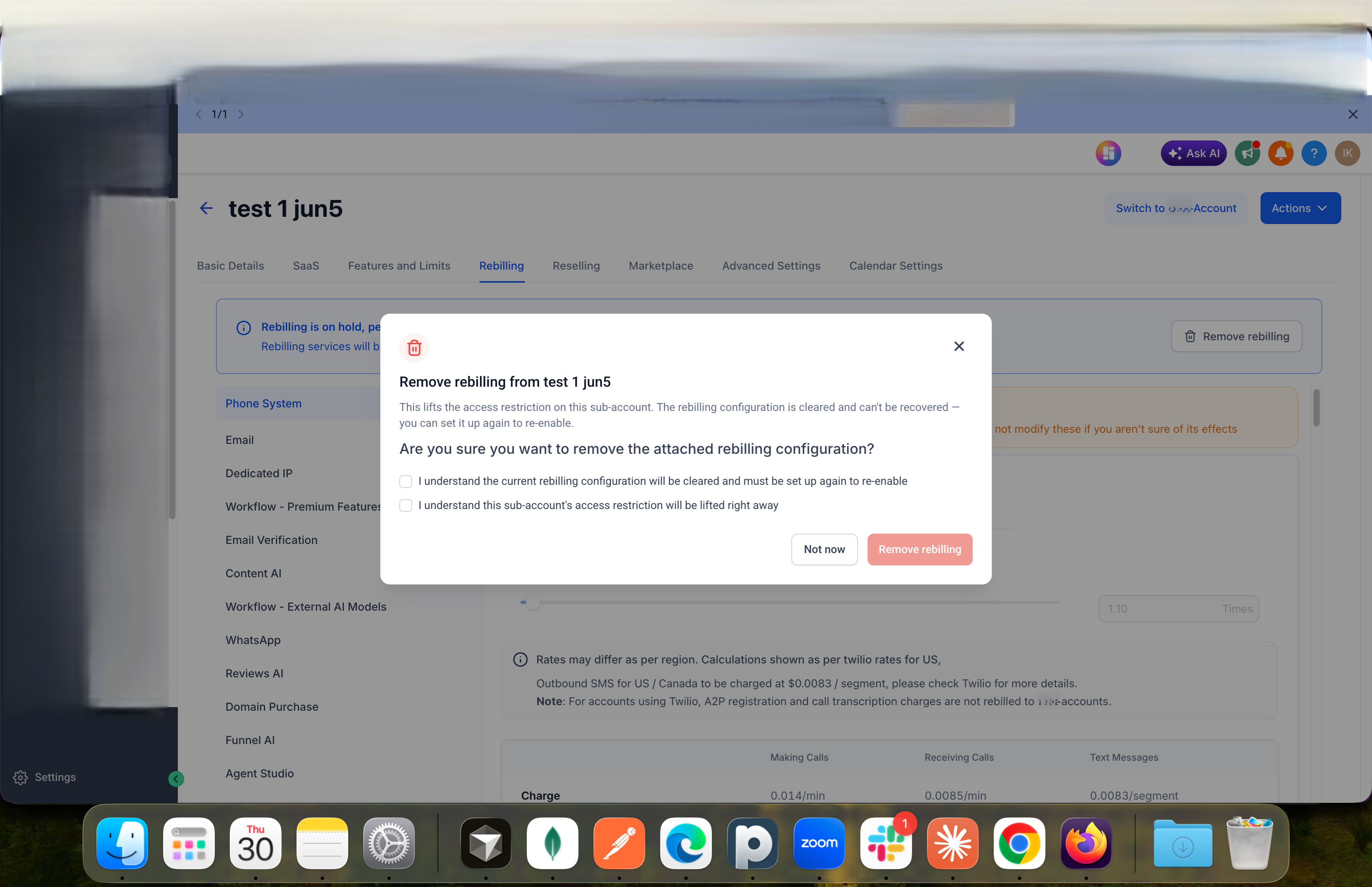
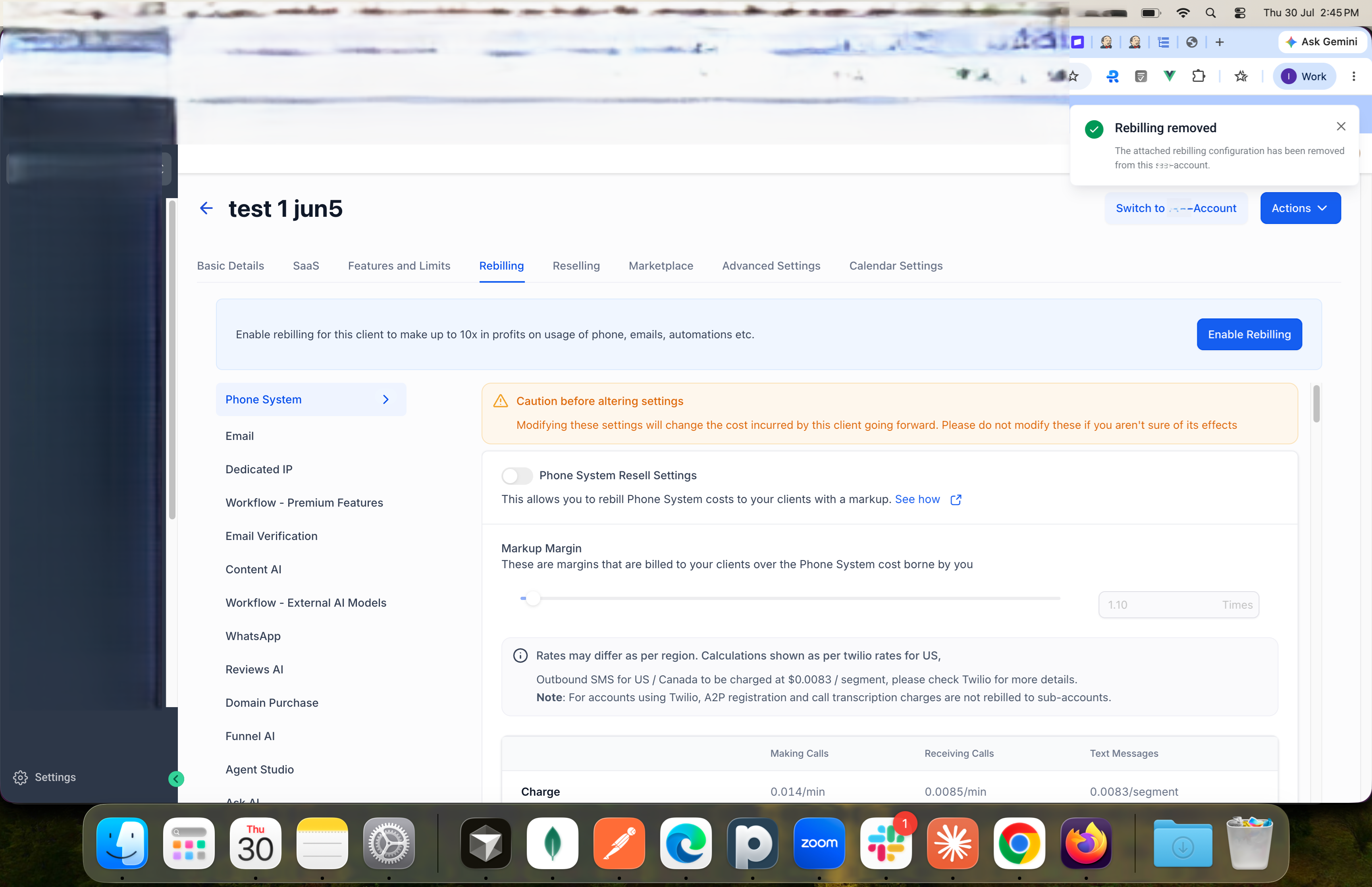
When you attach a SaaS plan or rebilling configuration to a account that doesn't have a payment method yet, it's placed on hold until a payment method is added. You can now cancel that pending setup directly from the Manage Client page — select Detach plan or Disable rebilling on the on-hold banner, confirm, and it's removed.
Why It Matters
Previously, canceling a pending plan or rebilling config meant disabling SaaS mode altogether — which also removed the account's saved billing profile, so you'd have to re-enter it next time. Now you can cancel or swap a pending setup in a couple of clicks, and the customer's billing profile stays in place.
Notes
- Available for both SaaS V1 and V2 accounts, and for rebilling configurations.
- Also available through the public API for teams automating account management.
Was this article helpful?
That’s Great!
Thank you for your feedback
Sorry! We couldn't be helpful
Thank you for your feedback
Feedback sent
We appreciate your effort and will try to fix the article